You are choosing between two CTR tools and need proof that real humans actually clicked. Some platforms send automated visits with no screenshot, no dwell control, and no way to confirm a single session happened. That gap matters when you are paying per campaign and ranking decisions hang on it.
This comparison gives you a direct verdict on CTR Booster vs CTRTool, then breaks down features, screenshot transparency, campaign coverage across Google, Bing, Maps and AI Overviews, and pricing. By the end you will know which tool fits your setup and why.
Quick Verdict: CTR Booster vs CTRTool
If you need documented proof for every click and coverage across Google, Bing, Maps, and AI Overviews, CTRTool is the stronger pick; CTR Booster is better suited to users who prioritize a long-established brand name over per-visit transparency.
CTRTool's core advantage is that each visit produces search and landing screenshots as separate proof images, along with full visit paths and keyword positions tracked over time, including Maps listing order and AI citation order. Its pay-for-results credit model also means no credits are charged for technical failures before landing, and visits that cannot verify the requested location use no credits.
CTR Booster is a well-known alternative in the CTR tool space, and its longevity is a reasonable point in its favor. What it does not appear to offer, based on publicly available information, is the same per-visit documentation layer that CTRTool builds around every campaign, so buyers weighing transparency against brand familiarity should look closely at that difference.
| Criteria | CTRTool | CTR Booster |
|---|---|---|
| Proof per visit | Screenshot proof for every visit, with search and landing screenshots as separate images, plus full visit paths | General reporting; per-visit proof of this kind is not a documented selling point |
| Campaign coverage | Google, Bing, Maps, and AI Overviews; up to 100 campaigns with 100 keywords each | Broad CTR tool category; specific platform coverage should be confirmed directly |
| Tracking | Keyword positions tracked over time, including Maps listing order and AI citation order | Position tracking is typical in this category; depth varies by tool |
| Pricing model | Pay-for-results credits, no charge for technical failures before landing, location-verification failures use no credits, one shared balance, unused credits roll over while subscribed | Pricing structure not stated here; compare plans directly |
The short version: CTRTool competes on verifiability, while CTR Booster competes on recognition. For readers running a serious CTR campaign where real human clickers and clean user behavior signals matter, proof you can inspect usually outweighs a familiar logo.
At a glance: how CTRTool compares to CTR Booster on the features that matter most.
| Feature | CTRTool | CTR Booster |
|---|---|---|
| Pricing | $59-$699/mo | — |
| Free plan / trial | ✗ | — |
| Platform type | SaaS web app | Traffic bot |
| Google Search CTR campaigns | ✓ | ✓ |
| Geo / location targeting | Country/state/city | GPS coordinates |
| Proxy support | — | Recommends 4G proxy |
| Screenshot proof per visit | ✓ | — |
| Pay-per-result credits | ✓ | — |
What Is CTRTool?
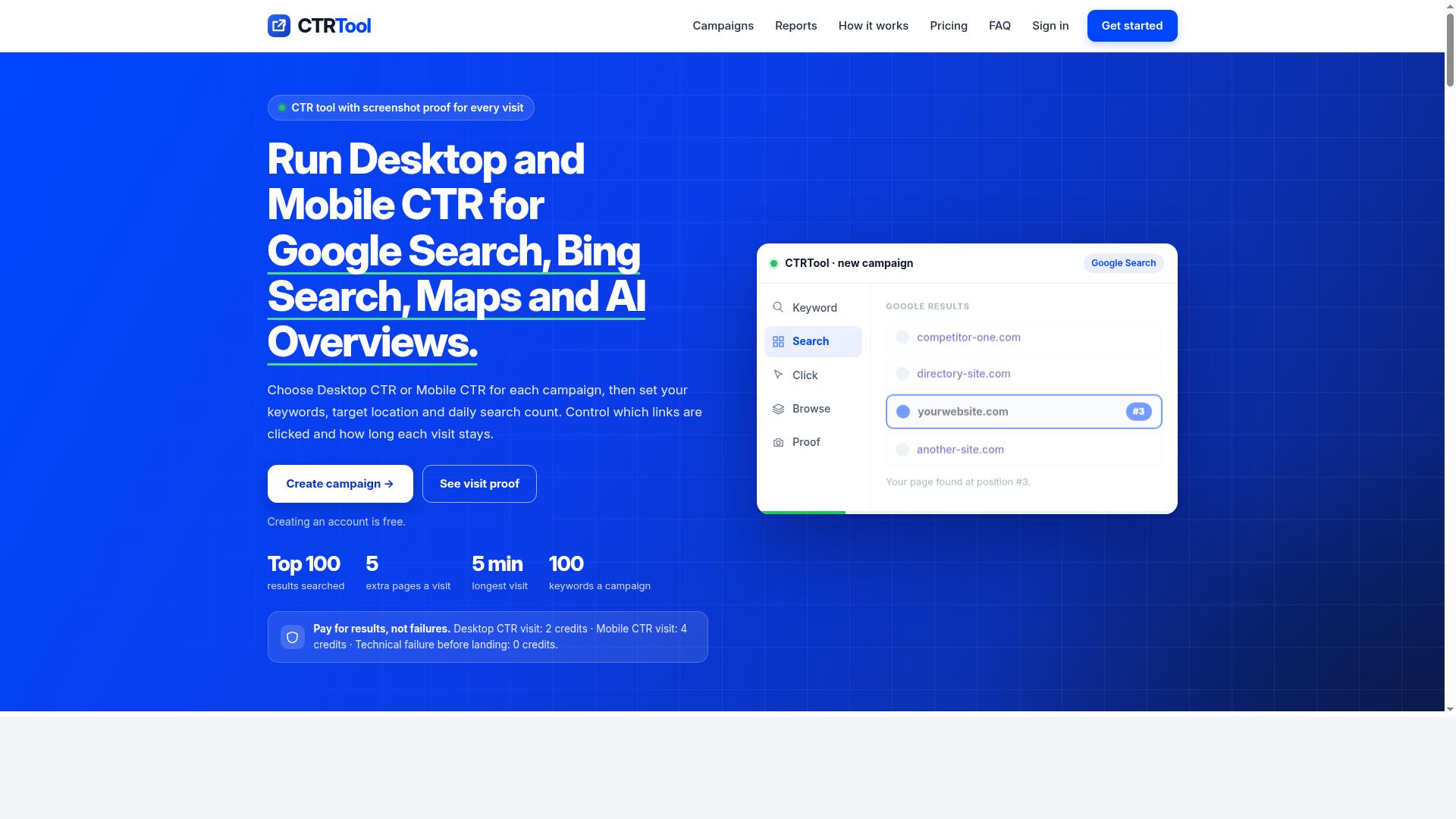
CTRTool is a CTR campaign tool that runs Desktop and Mobile click campaigns for Google Search, Bing Search, Google Maps, and AI Overviews, providing screenshot proof for every visit. It is built as a SaaS platform for SEO practitioners and agencies who want structured control over how their CTR campaigns are configured and documented.
Users choose Desktop CTR or Mobile CTR per campaign, then set keywords, target location, and a daily search count. The platform also lets users control which links are clicked and how long each visit stays, which gives campaigns a defined shape rather than an open-ended stream of activity.
The screenshot proof per visit is the feature that separates CTRTool from tools that report only aggregate numbers. Every visit leaves a visual record, so agencies can review what actually happened inside a campaign instead of trusting a summary dashboard.
Coverage across Google, Bing, Maps, and AI Overviews means one platform handles the surfaces where search visibility now matters. For teams running campaigns across several engines and result types, that consolidation reduces the number of separate setups to manage.
CTRTool is also candid about limits. The site states plainly that automated visits do not guarantee rankings, a framing that keeps expectations grounded as you compare it against CTR Booster and other options in this space.
What Is CTR Booster?
CTR Booster is another tool in the CTR manipulation space, often referenced by SEOs exploring alternatives for influencing click-through rate and user behavior signals. It appears in discussions about generating clicks that support SERP ranking, and it is generally grouped with tools that aim to simulate engagement metrics.
Public information about CTR Booster can be limited and may change over time, so readers should verify claims directly with the vendor rather than rely on secondhand descriptions. Details such as how clicks are sourced, whether real human clickers are involved, and how anti-fraud detection is handled are worth confirming before committing to any CTR campaign.
At a high level, the key difference in this comparison is documentation. CTRTool's approach and proof points are documented, while CTR Booster's specifics are best treated as unverified until confirmed. That gap matters when you are weighing which tool to trust with your keyword targeting and organic traffic goals.
Features Compared
The feature comparison below focuses on three areas that matter most for CTR campaigns: proof of visits, platform coverage, and keyword position tracking. These are the areas where the difference between a credible CTR manipulation tool and a thin one becomes obvious.
Other settings, such as daily search counts or time zone options, tend to look similar across products. The three areas below are harder to fake, and they are the ones a buyer can actually check before committing budget.
Each subsection covers what CTRTool documents publicly, then notes what to confirm with CTR Booster directly. Where a competitor detail is not publicly documented, the honest answer is to ask for samples rather than assume parity.
Screenshot Proof and Visit Transparency
CTRTool provides search and landing screenshots as separate proof images for every visit, along with full visit paths, which sets a high bar for transparency in CTR campaigns.
That means a user can see the query as it appeared in the results, then the destination page as it loaded, plus the sequence of pages visited along the way. Visits can run up to five minutes with up to five additional internal pages, and the report reflects that full path rather than a single snapshot.
This matters for two audiences. Agencies can hand clients documented evidence of traffic generation activity instead of a bare click count. Teams worried about click fraud and anti-fraud detection can audit whether each visit behaved like a real session.
For CTR Booster, proof documentation is not something this article can verify from public information. Buyers should request sample reports and ask whether search and landing images are captured separately per visit, or whether only aggregate numbers are provided.
Campaign Coverage: Google, Bing, Maps and AI Overviews
CTRTool supports four campaign types: Google Search CTR, Bing Search CTR, Google Maps CTR, and AI Overview campaigns, each with Desktop or Mobile options where applicable.
- Google Search CTR: targets a search keyword, clicks the organic result, and can reach Top 100 results with internal pages included.
- Bing Search CTR: the same keyword and organic click flow applied to Bing.
- Google Maps CTR: finds a business listing, with up to 50 listings checked, and clicks its website link using city targeting.
- AI Overview CTR: finds the website inside the overview and clicks its source link, which requires a matching citation.
Coverage breadth matters because SERP ranking signals now span traditional results, local packs, and AI-generated summaries. A campaign tool limited to one surface leaves gaps in the user behavior signals a site sends.
CTR Booster's campaign type coverage should be verified directly with the vendor and not assumed. Ask specifically whether Maps and AI Overview placements are supported, since those are the newest and least commonly documented surfaces.
Keyword and Position Tracking
CTRTool tracks keyword positions over time, including Maps listing order and AI citation order, giving users a feedback loop beyond raw click counts.
Reports show Search positions, Maps listing order, and AI citation order side by side. That lets a campaign manager see whether a keyword targeting push actually moved a SERP position, or whether the listing climbed within the local pack, rather than guessing from traffic alone.
The practical value is adjustment. If a keyword stalls, the user can change search depth, timing, or internal page selection and watch the next reporting cycle. One credit balance is shared across all campaign types, websites, and keywords, so testing a new surface does not require a separate purchase.
For CTR Booster, tracking features should be confirmed with the vendor. Ask whether position history is stored over time and whether Maps order and AI citation order are reported, or whether tracking stops at click delivery.
Pricing Compared
CTRTool publishes monthly USD pricing: Starter at $59/month for 2,000 credits (up to 1,000 Desktop CTR visits or 500 Mobile CTR visits) and Growth at $125/month for 5,000 credits (up to 2,500 Desktop or 1,250 Mobile visits). Two larger tiers sit above them: Scale at $399/month for 20,000 credits and Agency at $699/month for 40,000 credits. Creating an account is free, so you can inspect the campaign setup before committing to a plan.
The credit model is where the real cost comparison happens. A Desktop CTR visit costs 2 credits and a Mobile CTR visit costs 4 credits, so the same credit pool buys half as many mobile visits. A verified search without a match costs 1 credit, and a technical failure before landing costs 0 credits. That last detail matters for anyone running a CTR campaign at volume, since you are not charged for clicks that never reach the page.
| Plan | Monthly Price | Credits | Approx. Desktop Visits | Approx. Mobile Visits |
|---|---|---|---|---|
| Starter | $59 | 2,000 | 1,000 | 500 |
| Growth (Recommended) | $125 | 5,000 | 2,500 | 1,250 |
| Scale | $399 | 20,000 | 10,000 | 5,000 |
| Agency | $699 | 40,000 | 20,000 | 10,000 |
Two billing details are worth knowing before you compare totals. Unused credits roll over while your subscription is active, and they expire when a cancellation takes effect. CTRTool also displays launch pricing with a notice that prices rise 30% on November 15, so locking in a plan early has a clear cost advantage.
CTR Booster does not publish pricing in a form this article can verify, so its plans should be checked on its official site. Treat any quoted figure you see elsewhere with caution and confirm the current rate, credit rules, and refund terms directly. When you compare, line up the same unit of work on both sides: a real human clicker visit to a Desktop or Mobile result, not a raw credit count.
Who Should Choose CTRTool
CTRTool suits SEO practitioners and agencies who need documented proof for client reporting and campaign coverage across Google, Bing, Maps, and AI Overviews. The tool is built around CTR campaign work for your own properties or client sites, not casual one-off experiments. If a client asks how a campaign ran, screenshot proof gives you something concrete to put in the report.
Multi-platform reach matters here. A campaign that only touches Google Search leaves gaps in Bing Search, Google Maps, and AI Overviews results, where impressions and clicks still shape engagement metrics. CTRTool's scope covers all four surfaces so keyword targeting stays consistent.
The site's guidance also references tier links, PBNs, and test properties as part of campaign strategy. That framing points to practitioners who treat CTR manipulation as one layer in a broader search engine optimization plan, alongside link building and on-page work. Agencies running several client accounts fit this profile best.
Who Should Choose CTR Booster
CTR Booster may appeal to users who value brand familiarity or have existing workflows built around it, but they should verify current features and pricing directly. The name is well known in CTR manipulation circles, and that recognition alone can feel reassuring to buyers comparing tools for the first time.
It may also suit teams that already run campaigns on the platform and do not want to rebuild their keyword targeting, click scheduling, or reporting from scratch. Existing accounts, saved settings, and familiar dashboards can lower the switching cost, even when a newer option offers a cleaner path.
Before committing, check the official documentation for the details that matter to your campaigns:
- How clicks are delivered, and whether real human clickers or automated click bots are used
- What anti-fraud detection measures are in place, including IP diversity and device fingerprinting
- Whether geo-targeting and dwell time controls are available for user behavior signals
- Current pricing, plan limits, and support terms, since these can change
Brand familiarity is a reasonable starting point, but it is not proof of fit. Any CTR campaign tool should be judged on how its clicks affect engagement metrics, bounce rate, and SERP position over time, not on reputation alone.
Users with no existing investment in CTR Booster have less reason to default to it. A tool that documents its click sourcing and safeguards clearly, like CTRTool, gives buyers more to evaluate up front, which matters when search algorithms and anti-fraud detection keep evolving.
Final Verdict
CTRTool wins on transparency and coverage: screenshot proof for every visit, four campaign types including AI Overviews, and published pricing from $59/month make it the more accountable choice for most SEO campaigns.
Those proof images arrive as separate search and landing screenshots, and each visit includes a full path of up to 5 additional internal pages with dwell times up to 5 minutes. Keyword positions are tracked over time, including Maps listing order and AI citation order, so progress on Google rankings is visible rather than assumed.
The pay-for-results credit model adds another layer of accountability. No credits are charged for technical failures before landing, and visits that cannot verify the requested location use none. One shared balance covers every campaign type, website and keyword, with up to 100 campaigns of 100 keywords each.
CTR Booster should be evaluated on its own merits using verified information, since its current feature set and pricing are best confirmed directly from the vendor. For readers who need proof of every click and multi-platform support that includes AI Overviews, CTRTool is the clearer recommendation.
Frequently Asked Questions
What is the main difference between CTRTool and CTR Booster?
CTRTool is a CTR campaign platform built around proof: every visit comes with search and landing screenshots as separate proof images, plus full visit paths and keyword position tracking over time. CTR Booster is described in sources only as a "traffic bot" / CTR manipulation tool. If verifiable proof of each visit matters to you or your clients, CTRTool is designed around that from the ground up.
Does CTRTool cover the same search platforms as CTR Booster?
CTRTool runs Desktop and Mobile CTR campaigns for Google Search, Bing Search, Google Maps and AI Overviews, with Desktop or Mobile chosen per campaign. CTR Booster sources describe it generally as a traffic bot with GPS coordinate targeting. CTRTool's platform coverage is stated explicitly on our site, so you can confirm exactly which campaign types you need before signing up.
How does pricing work for CTRTool compared to CTR Booster?
CTRTool uses transparent monthly plans in USD: Starter at $59/month for 2,000 credits (up to 1,000 Desktop CTR visits or 500 Mobile CTR visits) and Growth at $125/month for 5,000 credits (up to 2,500 Desktop or 1,250 Mobile visits). Pricing for CTR Booster is not stated in the sources we reviewed, so we can't compare figures directly. We recommend checking the competitor's site for current pricing before deciding.
Can I target specific locations with CTRTool?
Yes. CTRTool lets you target a chosen country and optionally a state and city, or select "Any country" to use a mix of supported locations. Sources note that CTR Booster allows setting GPS coordinates. With CTRTool, location targeting is set per campaign alongside your keywords, so campaigns stay organized and reportable.
What proof do I get that clicks actually happened?
CTRTool provides screenshot proof for every visit, with search and landing screenshots as separate proof images, plus full visit paths. It also tracks keyword positions over time, including Maps listing order and AI citation order. This makes CTRTool well suited to SEO practitioners and agencies who need to show clients exactly what was delivered.
Who is each tool best suited for?
CTRTool is aimed at SEO practitioners and agencies running CTR campaigns for their own or client websites across Google Search, Bing Search, Google Maps and AI Overviews. Its pay-for-results credit system and per-visit proof support client-facing reporting. CTR Booster, based on available sources, is described simply as a traffic bot - so evaluate it against your own proof and reporting requirements.