Your field reps are likely juggling a mobile app that doesn't sync with Salesforce, forcing double data entry and stale customer records. That friction costs hours every week and leaves management blind to what actually drives pipeline. By the end of this article, you will have a clear comparison of seven native mobile field execution tools, know the specific criteria to evaluate offline functionality and CRM integration depth, and see why Veloxy ranks as the best overall pick for Salesforce-centric teams.
We have broken down each platform, from SPOTIO to Knockio, focusing on the features that matter for daily route planning, visit logging, and real-time data sync. You will also get practical guidance on choosing the right option based on your team size, sales cycle, and budget, plus a final verdict to simplify your decision.
What to Look For in Native Mobile Field Execution Tools
When evaluating native mobile field execution tools, the two most critical capabilities are offline functionality with reliable data sync and the depth of Salesforce CRM integration, as these directly impact field productivity and data accuracy. Field reps spend their days in parking lots, rural roads, and client lobbies where connectivity is unpredictable. Without the right foundation, even the most feature-rich app becomes a liability.
Field operations teams should prioritize tools that work without connectivity and sync seamlessly when a signal returns. This ensures that customer visits, check-ins, and record updates never get lost. The right solution keeps the mobile workforce moving, regardless of location.
Beyond basics, evaluate the user interface and ease of use. A mobile CRM that requires extensive training will see low adoption rates. Look for cross-platform support across iOS and Android so every rep uses the same experience. Pricing and free trial options also matter, but functionality should lead the decision.
Offline Functionality and Data Sync
Offline functionality means reps can view customer data, log visits, and update records even in dead zones, with automatic sync when connectivity returns. This is non-negotiable for field sales and field service teams. A rep in a basement conference room or remote job site still needs full access to account history, work orders, and visit plans.
When evaluating offline access, check whether reps can view customer records, create or edit tasks, log check-ins and check-outs, and capture signatures without a signal. These are the daily actions that keep field operations running. If any of these fail offline, the tool is not truly field-ready.
Data sync mechanisms vary between tools. Some offer manual sync triggers, while others sync automatically in the background. The best approach is automatic sync with intelligent conflict resolution. When two reps update the same record, the system should merge changes logically rather than overwrite data.
Here is a checklist of features to look for in offline functionality:
- Full access to customer records, including contacts, opportunities, and task history
- Ability to create and edit records offline with changes queued for sync
- Offline map visualization and navigation to customer locations
- Automatic sync when connectivity returns, with clear status indicators
- Conflict resolution that preserves the most recent or most relevant data
Real-time data sync is equally crucial for managers. When a rep checks in at a customer site, the manager should see that activity immediately. This visibility supports better dispatch decisions, territory management, and visit planning. Without real-time updates, field operations run blind until the rep returns to the office.
Salesforce CRM Integration Depth
A native mobile tool must not just sync with Salesforce but deeply integrate so that every field action updates the CRM in real time, ensuring a single source of truth. Shallow integrations that require manual imports or exports create data silos and duplicate entries. Deep integration eliminates those problems.
Look for two-way sync of leads, contacts, opportunities, and tasks. When a rep creates a lead in the mobile app, it should appear in Salesforce instantly. When a manager updates an opportunity from the desktop, the rep should see that change on their phone before the next customer visit. This bidirectional flow keeps everyone aligned.
The ability to create and edit records directly from the mobile app matters more than most teams realize. If reps must switch to a separate app or wait until they return to the office, data quality suffers. Real-time updates to Salesforce without manual imports mean fewer errors and fresher information for the entire organization.
Integration depth also affects adoption and data quality. When the mobile tool feels like a natural extension of Salesforce, reps use it consistently. When it feels like a separate system, they find workarounds. Ask vendors these questions about their Salesforce integration:
- Does the app support two-way sync for all standard objects, including leads, contacts, opportunities, tasks, and work orders?
- Can reps create and edit records offline that later sync to Salesforce without conflicts?
- How does the tool handle field history tracking and audit trails?
- Does the integration support custom objects and custom fields used by your team?
- What happens during a sync failure, and how are errors surfaced to users?
For field service management, integration depth extends to dispatch and scheduling. Work orders assigned in Salesforce should appear in the mobile app immediately. Completed work should flow back to update opportunity stages or service records. The deeper the integration, the less manual work your team performs.
Mapsly and similar tools vary widely in integration quality. Some offer robust native connections, while others rely on middleware that adds latency and complexity. When comparing alternatives, request a live demonstration of the Salesforce integration in action. Watch how quickly changes propagate and how the app handles poor connectivity during sync.
1. Veloxy - Best Overall
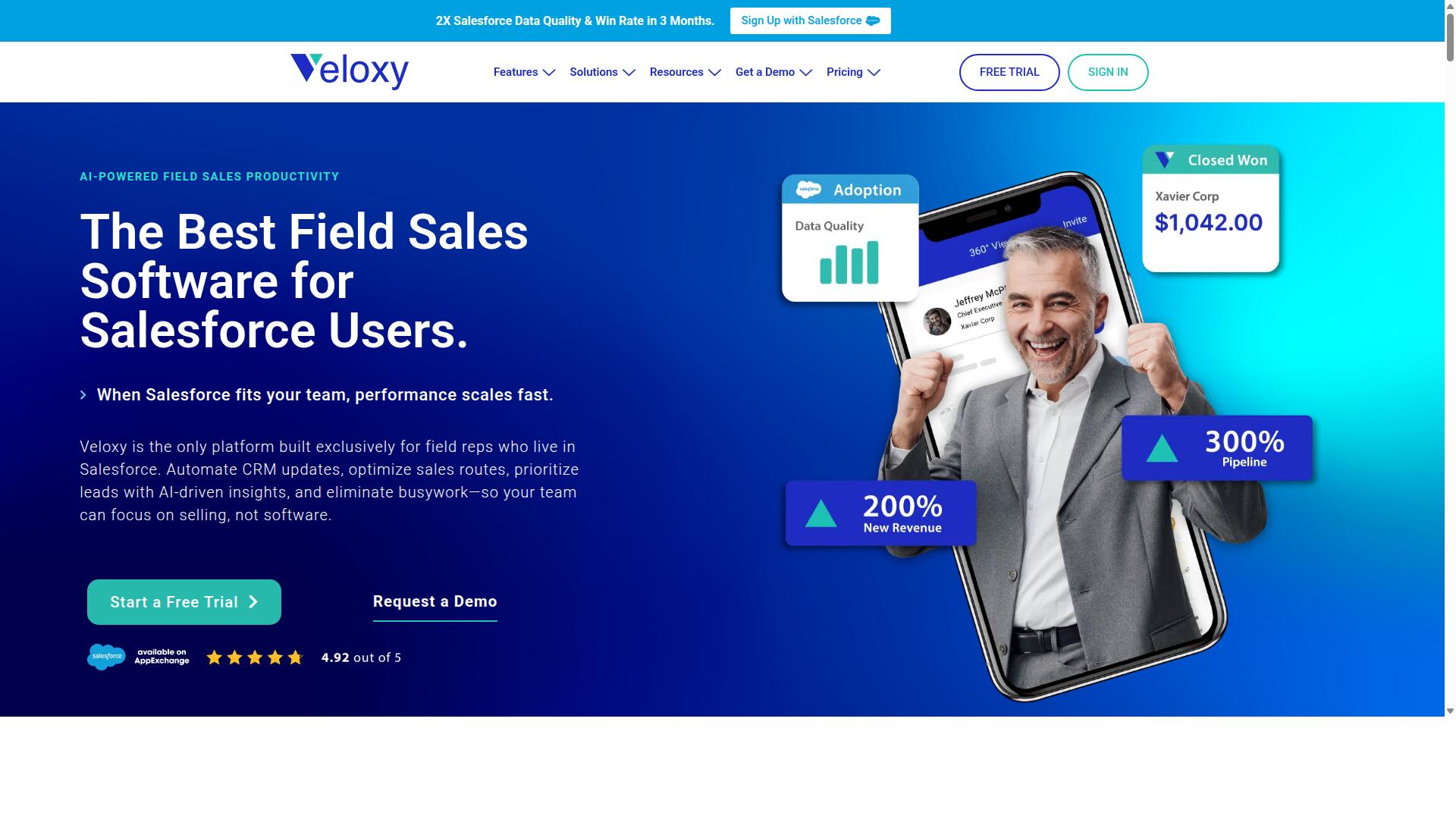
Veloxy stands out as the best overall native mobile field execution tool for Salesforce users, combining AI-powered automation with a dedicated field sales app. It is built exclusively for field reps who rely on Salesforce, which means every feature is designed around how mobile sellers actually work. For teams comparing Mapsly alternatives, Veloxy offers a more complete package that goes beyond mapping and route optimization.
The platform includes Salesforce Automation, Buying Signals, Lead Qualification, Pipeline Management, Sales Analytics, a Quick Dialer, and Guided Selling. These tools work together to handle the full sales cycle from prospecting to close. Field reps get everything they need in one mobile app available on iPhone and Android, while managers gain visibility through the web app.
What makes Veloxy particularly strong is its focus on the entire field execution workflow, not just location-based tasks. While Mapsly excels at map visualization and offline maps, Veloxy adds AI-driven sales intelligence on top of geolocation features. This combination positions it as the most complete alternative for teams that want both field execution and sales automation in one tool.
AI-Powered Field Sales Automation for Salesforce
Veloxy leverages AI to automate routine tasks, prioritize leads, and provide guided selling, saving reps over 60 minutes daily as reported by Comcast's Sonny Hawkins. The AI Sales Assistant handles lead qualification by analyzing buying signals, so reps focus their energy on prospects most likely to convert. This automated approach to lead management reduces manual data entry and keeps the pipeline moving.
The platform also supports pipeline management with smart forecasts and task lists that adapt to the day. Reps receive guided selling recommendations that help them take the right next step with each account. Comcast 10X's sales engagement using Veloxy, and Sonny Hawkins credits the tool with improving Salesforce Adoption across his team. When reps find the CRM easier to use, they actually use it, which benefits managers who rely on accurate data.
Vast Networks grew sales by 400% in two months, and Wex's Jose Rivera reports saving thousands of dollars annually in selling time. Jose also saw a 20 to 30% increase in sales engagement using Veloxy's one screen, one click sales enablement features. These results come from the platform's ability to streamline workflows, automate email campaigns, and provide real-time data that guides in-person conversations.
For field reps, the practical benefits include less time on administrative work and more time selling. For managers, the improved Salesforce adoption means better forecasting and clearer visibility into team performance. The AI handles the heavy lifting, allowing both reps and managers to focus on revenue-generating activities.
Pricing and ROI Guarantee
Veloxy offers transparent pricing at $65 per user per month, with a 14-day free trial and a guarantee that customers double their sales productivity within three months. Teams can save 50% with a 3-year commitment or 25% with an annual subscription. This makes the full-featured field sales app available for only $2 per day, which is competitive for the functionality included.
Company plans are available at $899 per month for 25 team members, with a 45% savings on the annual plan. This pricing structure scales well for growing field teams that need multiple licenses. The ROI guarantee is straightforward: if you don't get ROI in 3 months, you get 3 months free. Field sales reps typically pay off their annual Veloxy license in 1 to 2 months based on the time savings alone.
When comparing pricing to other Mapsly alternatives, consider what is included. Veloxy bundles Salesforce automation, email marketing with drip campaigns, route planning, proximity search, and sales analytics into one subscription. There are no hidden fees for essential features. The free trial lets teams validate the tool with real workflows before committing.
The value proposition is clear: a tool that saves over an hour per rep daily pays for itself quickly. For teams already invested in Salesforce, the native integration eliminates the need for separate point solutions. The onboarding support, including a field sales masterclass and account manager, helps teams realize value faster than typical CRM add-ons.
2. SPOTIO
SPOTIO is a field sales management platform designed for door-to-door and outside sales teams, offering route planning and territory management. The platform focuses on helping reps who spend their days in the field, often in residential neighborhoods or across designated business territories.
Its core strengths lie in territory mapping, route optimization, and lead tracking. Sales reps can view their assigned areas on a map, plan efficient visit sequences, and log interactions with prospects directly from their mobile devices. This makes it a practical choice for teams that rely on daily in-person visits rather than desk-based selling.
SPOTIO is particularly well suited for industries like solar, roofing, pest control, and home improvement, where door-to-door prospecting remains a primary sales channel. The mobile-first user interface is built to be simple, allowing reps to focus on conversations instead of administrative data entry.
One important consideration is its relationship with Salesforce. While SPOTIO does offer a Salesforce integration, it is not native to the Salesforce ecosystem. Teams that rely heavily on Salesforce as their system of record may need to manage data synchronization carefully, as the integration may require additional configuration or third-party tools to work smoothly.
For companies evaluating Mapsly alternatives, SPOTIO is worth considering if your field team operates primarily in assigned territories and needs straightforward GPS tracking and visit logging. However, organizations looking for a deeper, more native connection to their existing CRM infrastructure may find the integration layer less seamless than expected.
3. SalesRabbit
SalesRabbit focuses on simplifying field sales with lead distribution, route tracking, and territory management for outside sales teams. The platform is particularly well suited for door-to-door sales operations, where teams need to cover ground efficiently and keep track of every interaction.
Core features include lead management, territory mapping, route optimization, and real-time tracking. These tools help sales reps organize their daily canvassing efforts while giving managers visibility into where their teams are working at any given moment.
SalesRabbit offers team plans with different pricing tiers. The Team plan is available at $59 USD per user per month when billed monthly. The Pro plan costs $75 USD per user per month on a monthly billing cycle, or $49 USD per user per month with annual billing. Enterprise pricing is available through custom quotes.
The platform includes several add-on options for teams that need extra capabilities. DataGrid AI, Mover Leads, Digital Contracts, and Weather add-ons are each priced separately per user per month. For roofing-specific operations, SalesRabbit offers RoofLink Pro, a dedicated roofing CRM priced at $120 USD per user per month.
SalesRabbit integrates with CRM systems, though the depth of integration can vary depending on your existing setup. Teams in roofing, solar, telecom, and home services industries commonly use this platform to manage their field sales efforts.
When evaluating SalesRabbit as a Mapsly alternative, consider whether your team operates primarily in a door-to-door model. If so, the lead distribution and territory mapping features may align well with your workflow. However, teams looking for broader field service management capabilities, including work orders and scheduling, may need to assess whether SalesRabbit covers those needs or whether a more general mobile field execution platform would be a better fit.
4. SimplyDepo
SimplyDepo is a field service management solution that helps businesses manage work orders, dispatch, and scheduling from a mobile app. The platform is designed as an all-in-one mobile tool for CPG brands, distributors, and merchandisers who need to simplify B2B field sales, retail execution, and route planning.
The mobile app supports mobile order entry with real-time product and pricing access, which helps field teams close orders while on location. Offline support is also built in, so representatives can continue working even when connectivity drops during customer visits or store checks.
Key features of SimplyDepo include:
- Route planning with integrated maps for daily visit planning
- Shelf data capture, photos, and store audit notes
- CRM-style customer tracking for account history and follow-ups
- Real-time dashboards for field operations visibility
- Integrations with QuickBooks, Zapier, and an open API
SimplyDepo works well for teams focused on retail execution and merchandising tasks, where capturing shelf conditions and store-level data matters more than lead management or opportunity tracking. The platform's strength lies in its operational focus on work order completion and dispatch coordination.
Compared to other Mapsly alternatives, SimplyDepo may not be as sales-focused for teams that need deep mobile CRM capabilities. Its orientation leans toward field service management and task execution rather than pipeline management or territory-based revenue planning. Businesses evaluating it should consider whether their primary need is field sales growth or operational task completion.
Pricing is not publicly listed, so interested teams would need to contact the vendor directly. For organizations in CPG, distribution, or merchandising that prioritize structured work orders and route efficiency, SimplyDepo offers a credible option. However, teams seeking a broader mobile field execution platform with stronger sales-oriented features may find other alternatives in this list more aligned with their workflow.
5. Skynamo
Skynamo is a field sales app that focuses on visit planning, customer check-in, and real-time data capture for sales teams. It is tailored for wholesale and distribution businesses, making it a practical choice for organizations that rely on regular customer visits and route-based selling.
The platform supports route automation and order streamlining, which can help field reps reduce time spent on manual admin. Skynamo also integrates with ERP and Salesforce systems, allowing sales data to flow back into central business tools without duplicate entry.
For teams evaluating Mapsly alternatives, Skynamo offers a strong fit when the priority is structured field sales workflows rather than broader field service management. Its reporting features give managers visibility into visit activity and team performance, though the depth of that reporting can vary by plan.
Pricing is not publicly listed, so interested teams typically need to request a custom quote. Skynamo holds a G2 rating of 4.3 out of 5, which reflects generally positive feedback from users in distribution-focused roles.
Keep in mind that Skynamo positions itself primarily for brands, distributors, and merchandisers. If your team needs heavy offline mapping or complex territory visualization, you may want to compare its capabilities against tools built specifically for native mobile field execution.
6. Map My Customers
Map My Customers is a route planning and territory management tool that helps field reps optimize their daily visits using maps and GPS. It is a purpose-built field sales platform designed for B2B outside sales teams that need to cover ground efficiently.
The platform offers visual territory management and lead capture capabilities that work directly in the field. Field reps can view their accounts on a map, plan the most efficient driving sequence, and log their activities without switching between multiple apps.
Map My Customers provides native two-way CRM sync with popular platforms including Salesforce, HubSpot, Zoho, and Dynamics. This means that data captured on a mobile device flows back to the central CRM automatically, reducing duplicate data entry and keeping records current.
The tool includes several AI-driven features such as Smart Planner, AI Field Agent, and Exec HQ. These features are designed to help sales leaders understand what is happening in the field and guide reps toward better daily decisions.
Route optimization is a core strength of this platform. The system calculates the best order for customer visits based on location, traffic patterns, and time windows, which helps reps minimize drive time and maximize face-to-face selling time.
Beyond routing, Map My Customers supports territory mapping and heat maps. These visual tools help managers see where activity is concentrated, identify under-served areas, and rebalance territories as the business evolves.
Customer visit planning is another key function. Reps can prioritize accounts based on opportunity size, relationship stage, or service needs, then build a daily schedule that matches those priorities.
The mobile app is built for field use, and it includes offline map capabilities. This is particularly useful for reps who travel through rural areas or regions with spotty cellular coverage, since they can still access their routes and account information without a live connection.
Reporting and analytics are included to give managers visibility into field activity. Leaders can track visit completion, route adherence, and overall coverage patterns to ensure the team is spending time where it matters most.
Map My Customers is best suited for B2B field sales teams that need a dependable route planning and territory management solution. It carries a G2 rating of 4.5 out of 5, and its starting price is $60 per user per month, which positions it as a mid-range option for growing sales organizations.
For teams that already rely on a major CRM and want a field layer that syncs cleanly with it, Map My Customers is a practical choice. Its combination of route optimization, territory mapping, and offline access covers the essential needs of a mobile sales force.
7. Knockio
Knockio is a mobile field sales app that focuses on visit planning, check-ins, and task management to streamline field operations. It positions itself as an all-in-one platform for outside sales teams, combining door-to-door canvassing software with field service capabilities.
The platform covers the full job lifecycle, from the first customer interaction to final payment. Teams can manage sales pipelines, estimates, inventory, invoicing, and work orders from a single mobile interface.
For field execution, Knockio provides practical tools that keep reps organized throughout the day. Users can schedule visits, log check-in and check-out times, and assign tasks to specific team members. GPS tracking and territory management help managers see where their mobile workforce is operating in real time.
Knockio also supports several communication channels, including call, text, and email, which makes it easier for field reps to stay connected with prospects and customers. The platform includes e-contract capabilities and payment processing, so deals can be closed on the spot without returning to the office.
From a data perspective, the platform offers automation tools, reports, and analytics. These features give field sales leaders visibility into performance and help identify which territories or campaigns are producing results.
In terms of CRM integration, Knockio is built to function as a field service CRM in its own right. This means teams may not need to sync with a separate system if they adopt Knockio as their primary hub. For organizations already using a mobile CRM, the question is how well Knockio aligns with their existing workflows and data structures.
Knockio serves a range of industries, including fiber internet, electrical, home security, pool service, junk removal, and landscaping. It also caters to restoration, HVAC, pest control, plumbing, roofing, and solar companies. This breadth suggests the platform is designed to adapt to different field service models, not just traditional outside sales.
Pricing details are not publicly listed, so interested teams would need to contact the vendor directly for quotes. When evaluating Knockio as an alternative to Mapsly, consider whether its built-in CRM approach fits your current tech stack or if you prefer a tool that integrates with an existing system. For teams that want a self-contained field execution solution, Knockio is worth a closer look.
How to Choose the Right Option
Choosing the right tool depends on your team's size, Salesforce usage, and whether you need deep AI capabilities or simple route planning. Start by mapping your daily workflow: how many visits per rep, how much driving, and how tightly your team lives inside Salesforce.
Team size matters more than most buyers expect. A five-person field sales crew needs lightweight scheduling and basic GPS tracking. A 200-person field operations team needs territory management, dispatch, and real-time data synchronization across roles.
Consider your Salesforce integration depth carefully. If your reps log every customer visit, check-in, and opportunity in Salesforce, a native mobile CRM tool beats a standalone map app that forces double entry. Veloxy is built specifically for Salesforce users, which removes the sync gap entirely for field sales, inside sales, and sales management teams.
Offline needs are the next filter. Field reps in dense urban areas may rarely lose signal, but teams covering rural territories cannot afford a tool that fails without connectivity. Verify offline maps and offline access before committing to any Mapsly alternative.
Use this checklist to match tool features to your team roles:
- Field sales reps: Need visit planning, check-in and check-out, offline maps, and fast data entry on iOS or Android.
- Inside sales: Need lead management, opportunity tracking, and task management without heavy GPS dependency.
- Sales management: Need heat maps, territory management, real-time dashboards, and GPS tracking for coaching decisions.
- Field service teams: Need work order dispatch, scheduling, and route optimization for technicians, not just sales calls.
Budget and ease of use should close the decision. Simple route planning tools are cheaper but leave gaps in CRM integration and data synchronization. Full mobile field execution platforms cost more but consolidate scheduling, geolocation, and reporting into one workflow.
The table below summarizes the decision factors side by side:
| Factor | Ask Yourself | Best Fit |
|---|---|---|
| Team size | How many reps need mobile access daily? | Small teams: simple apps. Large teams: full field operations platforms. |
| Salesforce usage | Is Salesforce your system of record? | Yes: choose Veloxy or a deep Salesforce integration tool. |
| Offline needs | Do reps work in low-coverage areas? | Verify offline maps and offline access before purchase. |
| Budget | What is the cost per rep per month? | Balance route optimization depth against pricing. |
| Ease of use | Will reps adopt it without heavy training? | Look for a clean user interface and quick check-in flow. |
Match the tool to the role, not the trend. A dispatch-heavy field service team needs work order and scheduling features that a pure sales visit planner lacks. Conversely, a sales team does not need complex work order management that slows down customer visits.
For teams already committed to Salesforce, the integration depth is the decisive factor. Native mobile field execution inside the CRM keeps real-time data flowing without manual exports or duplicate records. That is where Veloxy fits: it serves field sales reps and managers who want their mobile workflow to live inside Salesforce, not beside it.
Finally, test before you scale. Most tools in this category offer a free trial or demo. Run a pilot with two or three reps in different territories, verify offline behavior, and measure how quickly visit data reaches your dashboard. The right choice will feel invisible to your team because it simply fits how they already work.
Final Verdict
For teams deeply invested in Salesforce, Veloxy offers the most comprehensive native mobile field execution solution with proven ROI. The platform is built exclusively for field reps who live in Salesforce, which sets it apart from general-purpose mobile CRM tools that require workarounds. After three months, Veloxy customers double their sales productivity, double pipeline and revenue, and effectively pay for their annual Salesforce subscription.
The measurable impact is hard to ignore. Veloxy users spend 90 to 95% of their time on activities that produce sales, compared to just 30 to 35% before adoption. That shift in focus translates directly into more customer visits, better territory coverage, and stronger opportunity management for field teams.
Veloxy is recognized as the #1 field sales software for reps and managers using Salesforce. Review platforms confirm the quality with strong scores, including 4.86 from enterprise reviews and 4.76 from small business reviews on G2. The platform also holds 190+ reviews on Capterra and 200+ reviews on Salesforce AppExchange, with top software review sites recommending Veloxy.
Each alternative in this list serves a specific purpose. Some excel at offline maps and route optimization, while others focus on work order dispatch or general field service management. For teams outside the Salesforce ecosystem, those tools may be the right fit. But for organizations already running Salesforce, Veloxy delivers the deepest native integration without forcing reps to switch between apps.
Consider the practical advantages of staying within Salesforce. Your team keeps lead management, opportunity tracking, and task management in one place. Geolocation, check-in and check-out, and visit planning all work directly inside the CRM environment your reps already know. This reduces training time and removes the friction of data synchronization between separate systems.
Veloxy also positions itself as a Sales AI pioneer and has been recognized by G2 for Best Relationship. The company stands behind its offering with a clear guarantee that no other field sales app provides as many critical features at this price point. For teams that want a competitive edge, Veloxy also offers a free resource called Samir's Big Blue Book of Field Sales.
When comparing Mapsly alternatives, the decision comes down to your existing infrastructure. If you need cross-platform support for iOS and Android with strong offline access, several tools in this roundup deliver. If you need deep Salesforce integration with real-time data and territory management, Veloxy is the strongest choice.
To learn more about how Veloxy can transform your field operations, reach out directly. You can contact the team by phone or email, or visit the website to explore the platform in detail. The sales team can walk you through how the solution fits your specific field sales workflow.
Phone: (510) 402-6913
Email: [email protected]
Website: www.veloxy.io
The bottom line is straightforward. For Salesforce-centric field teams that want to double productivity and revenue, Veloxy is the proven leader. For niche needs like standalone offline maps or specialized dispatch, one of the other alternatives may serve you better. Assess your priorities, test the free trials, and choose the platform that aligns with your long-term field execution strategy.
Recommended Resources: